Tuesday Tips: How Do I Opt Out of Receiving BonusMail offers for Specific Merchants?

BonusMail is the primary way MyPoints lets members know about different offers for earning Points, however, there may be merchants and offers you have no interest in.

How do you opt out of receiving offers you have no interest in while still receiving BonusMail for other merchants?

It’s as easy as 1-2-3!

If you get a BonusMail with an offer you are not interested in and are sure you will never be interested in getting offers from this merchant,

  1. Scroll to the disclaimer section of the email after the Get Points button:
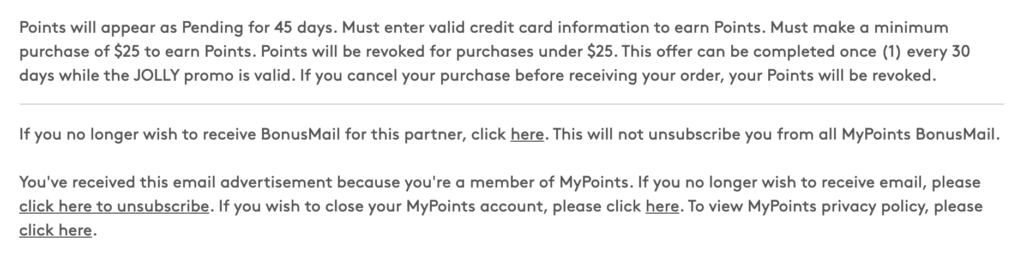
2. Look for the copy that says: “If you no longer wish to receive BonusMail for this partner, click here.”

3. You will then be redirected to the MyPoints Email Subscriptions page where you can adjust your email settings if you so desire, but this is not necessary as you will be opted out of the specified merchant for future emails.
Shop Our Last Minute Deals for Those Last Minute Gifts!

The clock is counting down, but there’s still time to earn BIG Points for your last minute holiday shopping!

Order online and do curbside pickup to make sure you have those gifts in hand by the 25th. Plus earn 2 Points per dollar at Best Buy, GAP and up to 10 Points per dollar at Macy’s.

A magazine subscription is a great last minute gift idea! Earn 35 Points per dollar at Magazines.com and your recipient will be reminded of your thoughtfulness every single month.

Or give the gift of a new skill in 2021 with online classes: Udemy is now 15 Points per dollar with 130,000 online classes to choose from.

Did you forget to get gifts for your furry friends? Get 25% off $50+ when you buy online and pickup in-store plus earn 5 Points per dollar at Petco.

Or take care of yourself with a well-deserved gift or two and earn increased Points at some of your favorite online retailers. Shop MyPoints Last Minute Deals now.

And don’t forget to check out the deals on Swagbucks, too! Earn cash back on your shopping and save money promo codes like a Kohls deal, Old Navy coupon code, or Shein coupon for cute kids clothes that are on trend and on budget. Cash out your reward earnings for PayPal cash, a free Amazon gift card, or other popular gift card reward.

Rewarding Moments: December 17, 2020

‘Tis the season to redeem gift cards and MyPoints member Jeff Peterson-Davis knows very well how rewarding MyPoints can be when the holidays roll around!

Jeff joined in November 1997! and his favorite ways to earn include the To-Do List, our Daily Goal and 7-Day Challenges.

Here is his story:

“My wife is the “bread winner” in the family due to a disability that prevents me from working.

She works hard with our local/regional food bank ensuring that families have enough food to eat, particularly during these difficult times. I want to be able to care for her and have nice gifts for her for birthdays and Christmas, and for our daughter, too.

While I am not able to work for a salary any longer (I’m a young guy, but I require supplemental oxygen 24/7), I find ways for gifts to come from ME rather than from my wife’s income.

One of the best ways is that I work hard through the various MyPoints opportunities to both save money and earn rewards. I use all of my rewards to redeem Points for gift cards.

That gives me “my money” that I can use to get birthday and Christmas gifts for my wife and daughter. I feel good knowing that the gifts truly are coming from me, and grateful for MyPoints making that possible!”

Thanks for sharing your story, Jeff! In appreciation, we’ve added 1,500 Points to your account.

Got a Rewarding Moment made possible by MyPoints? Submit it via this form for a chance to be awarded 1,500 Points if selected!

How to Make Sure Score! BINGO Squares Get Marked Off on Your Board

Whether you’re trying to complete a Shop BINGO Board or a standard one, the easiest activities are merchant visit squares.

Most of these squares can be marked off simply by clicking the square on the Board which will redirect you to the merchant’s website.

Some of the merchant visit squares, however, will require that you activate Score! in order to mark off the square.

Score! is our shopping browser extension which activates when you visit a merchant partner site. In addition to making sure you don’t miss out on Shopping Points, Score! also displays current coupon codes so you can save money as well as earn Points for your purchase.

In order to complete these BINGO square, make sure Score! has been added to the browser you are completing your BINGO board in, that it is active and not disable and that you are logged into it.

(For more tips on activating Score!, check out this blog post.)

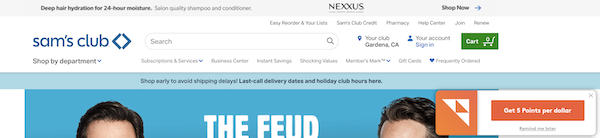
Once Score! is enabled, click through the applicable square to be redirected to the merchant site. The Score! banner will pop-up in the upper right of your screen:

Just click the banner and update your BINGO Board and the square will be marked off!

Green Monday is here!

The second Monday of December is known as Green Monday because it’s one of the biggest shopping days of the year. With only 10 shopping days left until Christmas, this is the perfect time to finish up your holiday shopping and score some great deals plus earn BIG Points!

Earn 25 Points per dollar at iPassword, 20 Points per dollar at Perricone MD, 15 Points per dollar at Yves Rocher and 12 Points per dollar at Babbel, 123Inkjets and 4Inkjets.

Earn 10 Points per dollar at Macy’s, QVC, douchebags, Snapfish, Otterbox, Ninja, Sorel and Shark.

Earn 9 Points per dollar at BBoutique and Better Not Younger.

Earn 8 Points per dollar at Columbia, Beauty Store Depot, Songmics, Chinese Laundry, Crocs and Philosophy.

Plus get increased Points on favorites like Kohl’s, GAP, Bass Pro Shops, American Eagle, Athleta, Kate Spade, Forever 21 and more!

These offers end tomorrow, so shop our Green Monday sale today!

Rewarding Moments: December 10, 2020

This week’s Rewarding Moment is courtesy of Michele Bulger who joined MyPoints in June 2009 after a friend told her about the program. Her favorite ways to earn: “I do a lot of the surveys and do in-store shopping.”

Here is her story:

“I collect Hallmark ornaments and as the years go on, they get more expensive.

This year I was able to use MyPoints VISA gift cards to buy what I wanted to help me decorate my home for the holidays.

Without the VISA gift cards as part of the rewards program, I would have had to put the purchases on my credit card. So, I want to thank you MyPoints for having VISA gift cards as part of your cards to choose from.

I will continue to do more surveys, the Bingo cards, in-store deals and the 7-day Challenges to help me accumulate more and more points.

Over the years I have told many friends of mine about MyPoints; some have joined, and some have not. I always sing the praises of MyPoints, especially now during these times when people are not very comfortable going into the store.

I tell them, “You are shopping anyway, why not earn Points which can then earn you gift cards to use at your favorite places or to give as gifts?”

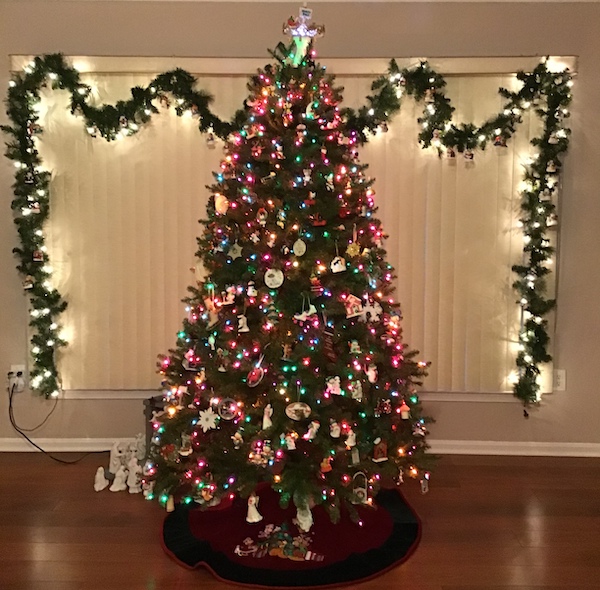
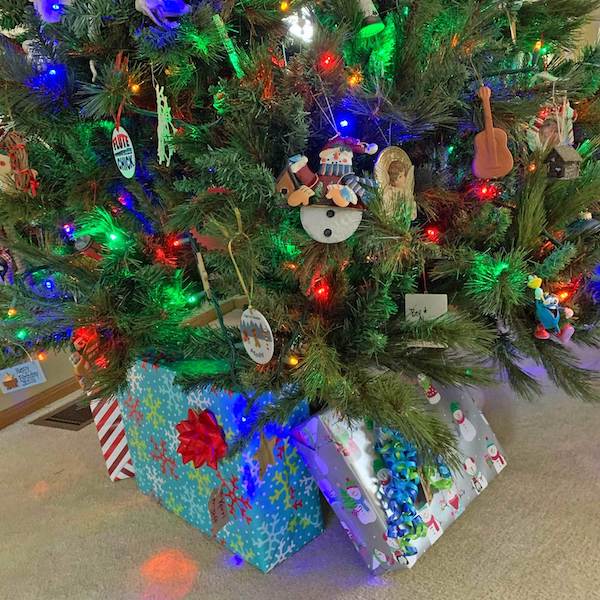
Thanks for sharing your story, Michele! Your tree looks beautiful! In appreciation, we’ve added 1,500 Points to your account towards your next Hallmark ornament (or whatever your heart desires).

Got a Rewarding Moment made possible by MyPoints? Submit it via this form for a chance to be awarded 1,500 Points if selected!

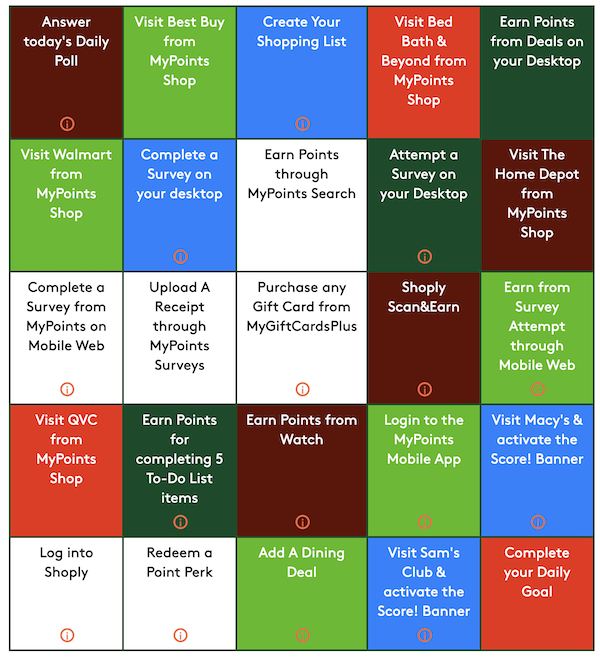
Final BINGO Board of 2020!

Last chance to earn up to 500 Bonus Points this year!

Pre-registration for our next BINGO Board starts on Friday, December 11th and you can start marking off squares after 8 am PT on Monday, December 14th. You can join the fun anytime, but you must submit your finished pattern by 11 pm on Monday, December 21st.

Activities included on the BINGO Board will include:

  • Voting in the Daily Poll
  • Redeeming a Point Perk
  • Clicking through board to visit the specified merchant
  • Visiting the specified merchant and clicking to activate the Score! banner
  • Adding an In-Store Deal to create your shopping list (US Only)
  • Completing a Discover offer (PRO TIP: Click on the preceding link for tips on how to easily complete Discover offers)
  • Attempting a desktop Survey (must earn disqualification Points)
  • Completing a desktop Survey (Survey completions will also mark off Survey attempt square)
  • Attempting a Survey via the MyPoints app or mobile website (must earn disqualification Points)
  • Completing a Survey via the MyPoints app or mobile website (Survey completions will also mark off Survey attempt square)
  • Uploading an Everyday receipt via your Survey page or mobile app
  • Completing a MyGiftCardsPlus purchase (US Only)
  • Logging into the Shoply app (PRO TIP: Log out and then back in again to mark off this square)
  • Scanning a barcode via the Shoply app (US Only)(PRO TIP: Click on the preceding link for tips on how to complete this activity)
  • Completing 5 items on your To-Do List (US Only)
  • Completing ALL items on your To-Do List (CA Only)
  • Logging into the MyPoints app (PRO TIP: Log out and then back in again to mark off this square) (US Only)
  • Visiting the specified merchant and clicking the Score! pop-up
  • Referring a new member (who joins and verifies their account) (CA Only)
  • Completing a Watch playlist
  • Completing your Daily Goal
  • Adding a Dining Deal (US Only)

Tuesday Tips: How Do I Verify My Account to Redeem Rewards?

Account verification is a new security feature that MyPoints is introducing and will need to be completed for selected members in order to process your redemption request.

This process has been implemented to protect members from unauthorized access and to ensure rewards are being requested by the account owner.

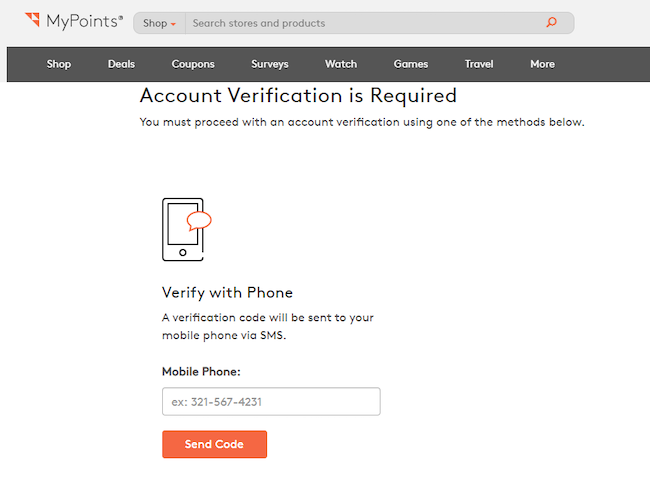
If you receive an account verification message when you redeem a Reward, you will be prompted to verify your account through a mobile verification process.

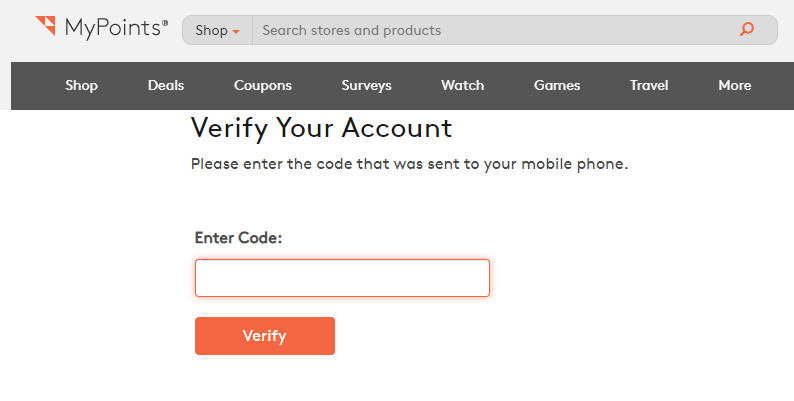
After you input your mobile phone number, click Send Code to be directed to the page to verify your account. A unique pin number will be texted for you to enter in the input box on that page.

After you enter the pin number, your account will be considered “verified” and you can reorder your Reward.

If you do not have a contract mobile device (prepaid devices cannot be verified), please submit a Help Request under the Compliance (Deactivation and Verification) request type and an agent will work to assist you in completing the verification process.

In order to ensure we are dealing with the actual owner of the account, you may be asked to provide a photo of your driver’s license or some other official identification. We will use the info (name, birthdate, address) on your ID to confirm that the account in question belongs to you to prevent unauthorized access.

Holiday Savings Start Now!

Just because Black Friday and Cyber Monday are over doesn’t mean that the deals are!

You can still save money and earn BIG on your holiday shopping during our Holiday Savings event.

Check out the increased Point offers on over 70 top retailers now through 12/13 like up to 10 Points per dollar for Macy’s, 10 Points per dollar for Sam’s Club, 15 Points per dollar for QVC and 8 Points per dollar for Overstock.

Earn 20 Points per dollar at Perricone MD, 40 Points per dollar at Kiwi Co. and 15 Points per dollar at Adidas.

There are dozens of great offers going on, but they won’t last long so shop now!

And there’s still time to make extra cash for Christmas so you can max out even more on our huge holiday savings!

Rewarding Moments: December 3, 2020

This week’s Rewarding Moment comes from Brian Payton who joined almost 20 years ago. His favorite way to earn with MyPoints is taking surveys and shopping.

Here is his story:

“For many years I have been using MyPoints.

About over 12 years ago or so, it was harder than usual on us for Christmas. It was because I have been traveling taking my son for his Leukemia treatments to UCSF hospital in San Francisco.

At that time I was saving my Points I had. That year I had used quite a few of my Points to get gift certificates to buy some of the Christmas gifts, including getting our Christmas Eve tradition of eating out. That was part of the rewarding moment we had with MyPoints.

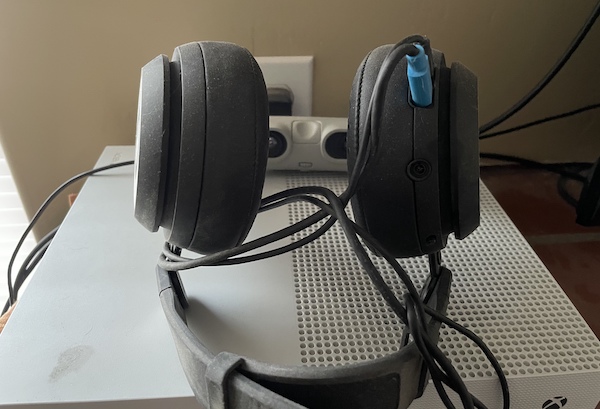
The other part that was the rewarding moment is when we actually won a prize from the MyPoints 12 Days of Christmas Giveaways. We won a virtual type head set from my points, which we still have today.

To this day we still use MyPoints, and tell others about it. It’s not only because of the Points we got, but because the moment in time we had to use them, it was rewarding. Then to win a prize at different time through MyPoints, it came full circle.”

Thanks for sharing your story, Brian! In appreciation, we’ve added 1,500 Points to your account–just in time for the holidays.

Got a Rewarding Moment made possible by MyPoints? Submit it via this form for a chance to be awarded 1,500 Points if selected!